
model context protocol servers: beginner guide
Most beginners do not need more AI apps; they need one agent that can safely reach the tools already running the business. That is where model context protocol servers enter the picture.
MCP is the connector layer that lets an AI assistant read files, query systems, call tools and work with apps without every integration being rebuilt from scratch.
The easiest mental model is the official one: MCP is like a USB-C port for AI applications. One standard connection replaces a drawer full of one-off cables.
I use AI agents to build systems that operate my business. MCP is not magic in that setup. MCP is plumbing, and good plumbing is boring until it leaks.
What is MCP in AI?
MCP, short for Model Context Protocol, is an open standard for connecting AI applications to external systems. The official MCP docs describe it as a way to connect AI apps to data sources, tools and workflows.
That means an assistant can stop being trapped inside a chat box. With the right setup, an agent can inspect a folder, read a database schema, search a codebase or call a calendar tool.
The official MCP introduction, checked on 5 August 2026, says MCP connects AI applications such as Claude or ChatGPT to local files, databases, search tools and specialised prompts.
Claude is Anthropic’s AI assistant. ChatGPT is OpenAI’s AI assistant. Desktop assistants and coding agents use the same basic idea: the model reasons, while tools provide reach.
MCP does not make the model smarter by itself. It gives the model a cleaner, more standard way to ask for context or request an action.
What are model context protocol servers?
Model context protocol servers are small programs that expose a tool, data source or workflow to an AI application through MCP. The server is the adapter between the agent and the outside system.
A file-system MCP server might let an assistant read approved folders. A database MCP server might let an agent inspect tables or run safe queries.
A GitHub MCP server can expose repository actions for code work. A browser or Puppeteer server can let an agent inspect pages where an API is not enough.
The official MCP server docs, checked on 5 August 2026, describe servers as programs that expose capabilities through standard protocol interfaces.
Those capabilities usually fall into three buckets: tools, resources and prompts. Tools do things, resources provide context, and prompts package a workflow.
| MCP building block | Plain-English meaning | Beginner example |
|---|---|---|
| Tools | Actions the model can request | Create a calendar event |
| Resources | Read-only context sources | Read a project brief |
| Prompts | Reusable instruction templates | Summarise a meeting |
In prose: tools are for action, resources are for context, and prompts are for repeatable patterns. A useful MCP setup often needs all three, but beginners should start with one narrow tool.
How does MCP work without the jargon?
MCP works by putting a host, a client and a server between the user and the external tool. The host is the app you use, and the server is the thing exposing a capability.
The host might be Claude Desktop, a desktop version of Claude, or an integrated development environment, which is the software used to edit and run code.
The MCP client is usually hidden from the beginner. It is the protocol-level part inside the host that talks to one MCP server.
A simple run looks like this: you ask the agent a question, the agent sees a relevant tool, the host asks for permission if needed, and the server performs the request.
If the server exposes files, the agent may ask to read a document. If the server exposes a task app, the agent may ask to create or update a task.
Local MCP servers often run on the same machine as the assistant. Remote MCP servers run elsewhere and can serve many clients, usually through web transport.
For a beginner, the location matters less than the permission boundary. A local server can still be dangerous if it can see the wrong folder.
When do beginners actually need MCP?
Beginners need MCP when an AI agent must use the same external tool again and again. If the task is one-off, manual export or copy-and-paste may be safer.
MCP earns its place when the workflow is repeatable. A good example is an agent that reviews customer notes, checks a knowledge base and drafts a follow-up from approved context.
Another example is code work. A coding agent can be more useful when it can inspect a repository, read documentation and run test-related commands through controlled tools.
I would not install model context protocol servers just to feel current. I would install one when the agent is already saving time, but manual data transfer has become the bottleneck.
Use this beginner test: if you can name the exact tool, the exact data, the exact allowed action and the exact failure risk, MCP may be ready.
If you cannot name those four things, the setup is still too vague. Vague agent access becomes a security problem before it becomes an automation win.
When should you not use MCP?
Do not use MCP when a normal export, built-in integration or direct API call solves the job cleanly. MCP is not the prize; a reliable workflow is the prize.
A beginner should avoid MCP for accounts that contain sensitive data until permissions are narrow and revocation is understood. Access should start smaller than feels convenient.
Do not give an agent write access because read access worked once. Reading a folder and editing a folder are different risks.
MCP also does not replace judgement. If an agent can send messages, update records or move files, the workflow needs review points before any irreversible action.
The boring rule is the correct rule: start read-only, test on disposable data, then add one write action after the agent has proved useful.
How are MCP servers different from plugins, APIs and browser automation?
Model context protocol servers differ from plugins, APIs and browser automation by standardising the connection pattern for AI agents. MCP is not the only way to connect tools.
A plugin is usually tied to one product. An API is the raw interface a software system exposes. Browser automation drives a web page like a human would.
MCP can sit above APIs. Many MCP servers call an API behind the scenes, but the agent sees a standard MCP-shaped tool rather than a custom integration.
| Approach | Best for | Main weakness |
|---|---|---|
| MCP server | Repeatable agent access | Needs permission design |
| Plugin | One app’s built-in feature | Often locked to that app |
| Direct API | Custom software control | Requires more development |
| Browser automation | No API available | Can break when pages change |
In prose: use MCP when the agent needs a standard tool interface, use an API when you are building custom software, and use browser automation when the website is all you have.
Plugins are convenient when they already do exactly what you need. MCP is more useful when you want the same tool exposed across different agent hosts.
What can an MCP server safely connect to?
An MCP server can connect to almost any system the server is written to expose, but safe access is narrower than possible access. The useful question is not “can it connect?” but “should it?”
Good beginner targets are low-risk, high-context systems. Think documentation folders, read-only knowledge bases, test calendars or sandbox databases.
Higher-risk targets include email accounts, payment systems, customer records, production databases and messaging tools. Those need stronger controls and clearer audit trails.
Anthropic’s launch post, checked on 5 August 2026, described MCP as an open standard for secure two-way connections between data sources and AI-powered tools.
That “two-way” phrase is important. Two-way access can mean the agent reads context and takes action, so the permissions have to match the actual task.
For my own systems, I prefer boring boundaries: one server per job, one folder or account where practical, no blanket access, and no hidden write permissions.
How should a beginner choose the first MCP setup?
A beginner should choose the first MCP setup by starting with the lowest-risk workflow that still saves real time. The first setup should prove the pattern, not automate the whole business.
Pick a task where mistakes are easy to spot. Drafting notes from approved documents is better than letting an agent update live records on day one.
- Choose one host application the agent will run inside.
- Choose one external tool or folder to expose.
- Prefer read-only access for the first test.
- Use a trusted server from official docs or a source you can inspect.
- Write down what the agent is allowed to do.
- Run the workflow on non-critical data first.
- Remove access if the agent behaves unpredictably.
The official MCP docs list a broad ecosystem of clients and servers, but a beginner should not treat a large ecosystem as a shopping list.
Install the smallest working connection. If that connection saves time without creating cleanup work, then add the next one.
What are the real risks with MCP?
The real MCP risks are over-permission, weak server trust and agents taking actions the user did not properly review. MCP makes tool access easier, so bad access also scales faster.
An MCP server is software. If the server is poorly maintained, malicious or configured badly, the agent may be given unsafe reach into a system.
Prompt injection is another risk. A document, web page or message can contain text that tries to manipulate the agent into using tools in the wrong way.
MCP does not remove the need for access control. The host, server and user still need to decide what the model can see, what it can call and what requires approval.
For beginners, the safety stack is simple: trusted source, narrow access, read-only first, visible logs, manual approval for write actions and a quick way to revoke credentials.
If an MCP setup cannot be explained in one sentence, it is probably too broad. “The agent can read this folder to answer support questions” is clear. “The agent can use my workspace” is not.
Is MCP the same as giving an AI agent internet access?
MCP is not the same as giving an AI agent internet access. Internet access lets an agent browse or fetch web content, while MCP connects an agent to defined tools and systems.
An agent with web access might search public pages. An agent with an MCP database server might query private structured data that never appears on the open web.
The distinction matters for control. Web browsing is broad and messy. MCP should be specific: this server, this tool, this scope, this permission.
Some MCP servers do expose browser tools. In that case MCP is the protocol wrapper, while browser automation is the capability being exposed.
Do not confuse the wrapper with the power tool inside it. MCP is the socket. The server decides what gets plugged in.
What is the beginner decision framework for MCP?
The beginner decision framework is simple: use MCP only when the workflow is repeatable, the tool boundary is clear and the risk can be contained. Otherwise, wait.
Ask these questions before installing anything:
- What exact job will the agent do?
- What exact data does the agent need?
- Does the agent need read access, write access or both?
- Can the first test use dummy data?
- Who maintains the MCP server?
- How do I revoke access?
- How will I know the agent made a mistake?
If the answers are crisp, MCP can be useful even for a non-developer. If the answers are fuzzy, the integration is not ready.
My operator view is that MCP should follow workflow pain, not curiosity. Wire the thing that is already slowing you down.
FAQ
Do I need to be a developer to use MCP?
You do not always need to be a developer to use MCP, but you do need to understand permissions. Some hosts make server setup easier, while custom servers still require technical work.
A non-developer should start with documented, trusted servers and low-risk data. If the workflow touches sensitive systems, get technical review before granting access.
Are model context protocol servers free?
Some model context protocol servers are open-source and free to install, but the connected service may still cost money. The server is only one part of the stack.
A database server, calendar server or repository server may call a paid service behind the scenes. Check the tool’s own pricing and limits before treating MCP as cost-free.
Can MCP make an AI agent fully autonomous?
MCP can give an AI agent tools, but tools do not automatically make an agent safe or fully autonomous. Autonomy depends on permissions, approvals, memory, planning and review.
A beginner should treat MCP as controlled access, not delegated authority. Let the agent suggest and draft before letting the agent execute.
Should I use remote or local MCP servers?
Use local MCP servers when the tool or data lives on your machine and the workflow is personal. Use remote MCP servers when a team or hosted application needs shared access.
Local is often simpler for first tests. Remote can be cleaner at scale, but it raises authentication, deployment and monitoring questions earlier.
What is the final verdict on MCP for beginners?
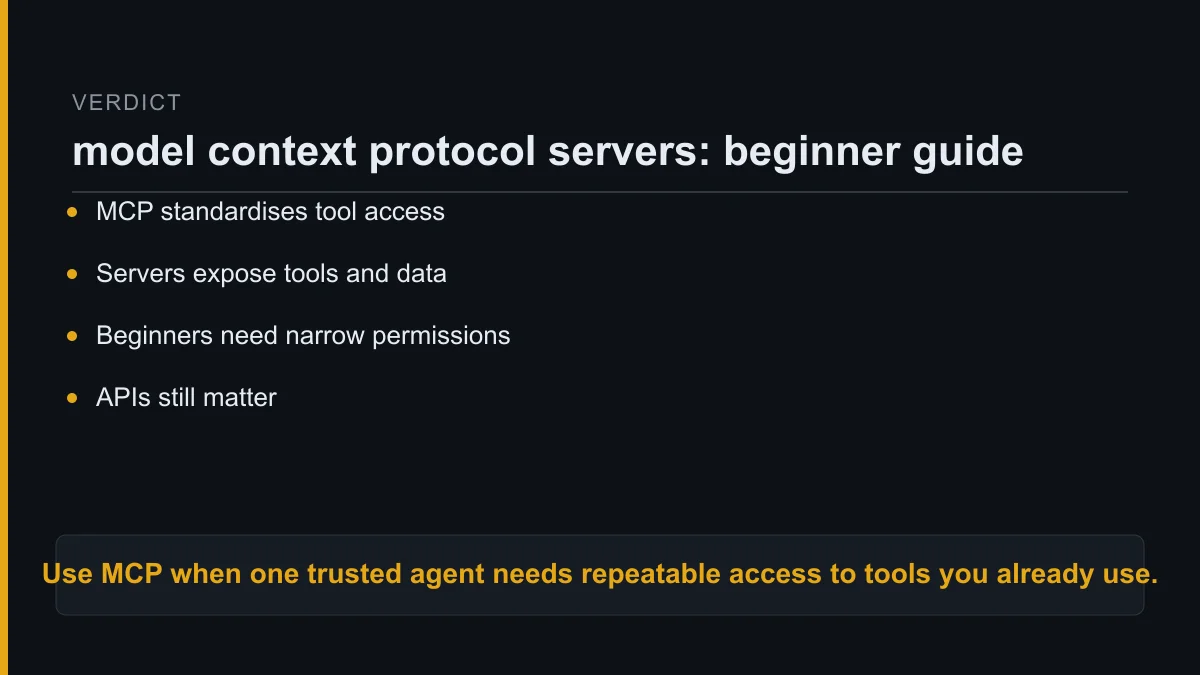
MCP is worth learning because it explains how modern AI agents connect to real tools. Beginners do not need every server; they need one safe connection that solves a real workflow problem.
Start with read-only access to a low-risk source. Prove that the agent gives better answers or saves manual transfer time, then add narrow actions one at a time.
Do not use MCP as decoration. Use model context protocol servers when an agent already has a job, the data boundary is clear and the allowed action can be explained in plain English.
About Kurt Stockhausen
Kurt Stockhausen runs a business and uses AI agents to build the systems that operate it. The tools are a means to run the business better, not an identity badge.
He writes build logs from real workflows: what was wired up, what it cost and what broke. Kurt is not a developer by trade, which keeps the focus on practical use over technical theatre.
