
Open source AI coding agents need guardrails first
Beginners usually give coding agents too much power before giving themselves enough visibility.
The safest way to try open source ai coding agents is not to let one rebuild your app. Let one read a small repo, explain the plan, edit a branch, run tests, and show you the diff.
An AI coding agent is a software assistant that can work inside a codebase, not just talk about code in a chat box.
That shift is useful, but it also changes the risk. A chatbot can give bad advice. A coding agent can make bad changes to real files if you approve the wrong permissions.
I use agents to build the systems that operate my business, and the lesson is simple: the agent is fastest when the work is bounded, reviewable and reversible.
This guide explains what coding agents are, how they differ from chatbots and autocomplete, which tools beginners should compare, and how to use them without handing over the keys too early.
What is an AI coding agent?
An AI coding agent is an AI tool that can inspect a project, decide on steps, edit files, run commands, and report back with results.
The important word is “agent”. The tool is not only predicting the next line of code. The tool is taking a goal and using software tools to move towards it.
Anthropic describes Claude Code, its coding agent, as a tool that reads a codebase, edits files, runs commands, and integrates with development tools, checked 5 August 2026 on the Claude Code overview.
GitHub describes its Copilot cloud agent as able to research a repository, create an implementation plan, make code changes on a branch, and let you review the diff before a pull request.
That is the category in plain English: an agent can look, change, test and hand work back for review.
A beginner does not need to understand every model detail to use one. A beginner does need to understand which actions the agent can take and which actions still need human approval.
How are open source ai coding agents different from chatbots?
open source ai coding agents differ from chatbots because they can usually connect to your files, terminal, version control system and development tools.
A chatbot answers a prompt. An autocomplete tool predicts nearby code. A coding agent can plan a task, make edits across files, run the test suite, inspect the failure, and try again.
| Tool type | What it mainly does | Beginner risk |
|---|---|---|
| Chatbot | Explains, suggests and drafts code | You may copy bad code |
| Autocomplete | Suggests code as you type | You may accept wrong lines |
| Coding agent | Reads, edits, tests and uses tools | It may change real files |
In prose, the difference is control. Chatbots and autocomplete leave the execution mostly with you, while coding agents can carry out parts of the job.
That makes agents more useful for boring, connected work. It also means you need stronger boundaries than you would need for a normal AI chat.
The agent should not be judged by how confident the answer sounds. Judge the agent by the plan, the diff, the test output, and how easy the change is to roll back.
What can a beginner safely ask a coding agent to do?
A beginner can safely start with read-only analysis, small edits, test generation, documentation updates and branch-based pull requests.
The safest first task is: “Read this repository and explain how it works without changing files.” That tests whether the agent can map the project before it touches anything.
A good second task is a tiny documentation fix. Ask the agent to update one README section, then inspect the diff yourself before committing.
After that, try a narrow code task. For example: “Add validation to this one form field and update the existing test if needed.”
Small tasks teach you how the agent behaves. You see whether it edits only the relevant files, follows the existing style, and runs the checks you expected.
Good beginner tasks include:
- Explaining a folder structure in plain English.
- Finding where a feature is implemented.
- Adding a missing test for an existing function.
- Renaming a variable across a small module.
- Updating docs after you changed behaviour.
- Opening a pull request for human review.
Bad beginner tasks are broad, vague and hard to verify. “Improve the app” is not a task. “Refactor the whole backend” is not a first-week experiment.
Which open source ai coding agents should beginners compare?
Beginners should compare open source ai coding agents by workflow, permission model, local control, model support and review experience.
The best tool is not always the most autonomous one. For a beginner, the best tool is the one that makes the agent’s actions obvious before anything important changes.
| Agent | Plain-English description | Best beginner use |
|---|---|---|
| Aider | An open-source terminal pair programmer for editing code in a git repo | Small changes with clear diffs |
| OpenHands | An open-source agent workspace for coding agents and automations | Sandboxed experiments and larger workflows |
| SWE-agent family | Research and open-source agents built around repository issue solving | Learning how repo-level agents work |
| Continue | An open-source AI coding assistant for editors | Editor-based help and controlled assistance |
In prose, Aider is usually easier to understand because it works close to git and makes changes visible. OpenHands is broader and needs more care with environment access.
Aider’s own site calls it “AI pair programming in your terminal” and says it can build on an existing codebase, checked 5 August 2026 on the Aider homepage.
OpenHands is more like a workspace for running agents across local, remote and cloud backends. Its GitHub README warns that running the server directly can give the agent full filesystem access.
That warning is exactly why beginners should care about setup. Open source gives you visibility and control, but control is only useful if you configure it deliberately.
When should you use a coding agent instead of doing it yourself?
Use a coding agent when the work is clear, repetitive, testable and easy to review in a diff.
Do the work yourself when the task needs product judgment, sensitive access, architectural ownership or a decision you cannot easily verify.
| Use an agent for | Do it yourself for |
|---|---|
| Small bug fixes | Architecture decisions |
| Test scaffolding | Security-sensitive changes |
| Documentation updates | Unclear product behaviour |
| Finding code paths | Handling private customer data |
| Mechanical refactors | Irreversible production actions |
In prose, agents are strongest where the answer can be checked by files, tests and review. Humans stay responsible where the answer depends on judgement.
I use agents where they save operating time without hiding the result from me. If I cannot inspect the change, I do not treat the task as safe.
The agent can be fast and still wrong. Speed only helps when the verification loop is shorter than doing the whole task manually.
How do you set up safe permissions for a coding agent?
Safe agent setup starts with the least access needed: a test repo, a disposable branch, no secrets, and approval required before commands or file writes.
Do not begin in the repo that runs your business. Make a copy, create a branch, or use a sandbox project where mistakes are cheap.
Start read-only if the tool allows it. Let the agent inspect files and propose a plan before granting edit access.
When you allow edits, keep the agent inside the project folder. Avoid giving broad access to your home directory, cloud credentials, password manager or production database.
When you allow commands, require confirmation for anything destructive. Install commands, deletion commands, database migrations and deployment commands should never run silently.
A beginner-safe permission ladder looks like this:
- Level 1: Read files and explain the project.
- Level 2: Suggest a plan, but make no edits.
- Level 3: Edit a branch and show a diff.
- Level 4: Run tests and fix failures.
- Level 5: Open a pull request for review.
- Level 6: Automate routine tasks only after repeated success.
Most beginners should live at levels one to four for a while. The agent earns more access by producing changes you can verify.
How should a beginner review agent-written code?
Review agent-written code by checking the plan, the changed files, the diff, the tests and the rollback path before merging anything.
Never review only the final explanation. The explanation is a summary. The diff is the work.
First, ask whether the agent changed the right files. A small task that edits ten unrelated files is a warning sign.
Second, read the diff like a beginner, not like a compiler. Does the change match the request? Does the old behaviour still make sense? Did the agent delete something it did not understand?
Third, run the tests yourself if the tool ran them. If no tests exist, manually exercise the changed path before trusting the result.
Fourth, ask the agent to explain the risk in its own change. This is not proof, but it often exposes assumptions you should check.
Use pull requests even when you work alone. A pull request gives you a review screen, a discussion trail and a clean place to decide yes or no.
What can go wrong with open source ai coding agents?
open source ai coding agents can make the wrong change, over-edit a codebase, run risky commands, expose secrets, or pass tests while breaking intent.
The failure is not always dramatic. The common failure is a plausible patch that solves the narrow prompt while damaging something adjacent.
An agent may misunderstand naming conventions. It may duplicate existing logic instead of reusing it. It may remove error handling because the test path did not cover it.
An agent may also chase a test failure in the wrong direction. If the tests are weak, the agent can optimise for green output rather than correct behaviour.
Open-source tools reduce some risks because you can inspect the tool, host parts yourself and choose models. They do not remove the need for review.
Open source also creates setup responsibility. You decide where the tool runs, which folders it can see, which commands it may execute, and which model receives context.
The practical rule is blunt: do not give an agent access to anything you would not let a junior contractor touch without supervision.
How do you run a safe first agent task?
A safe first agent task is small, branch-based, reversible and checked by a human before merge.
Use this workflow before you try bigger jobs. It works whether you choose a commercial agent or one of the open source ai coding agents.
- Create or copy a small project.
- Commit the current state before using the agent.
- Create a new branch named for the experiment.
- Ask the agent to inspect the repo and propose a plan.
- Approve one narrow change only.
- Inspect the diff before running anything else.
- Run tests or manually check the changed path.
- Ask the agent to summarise what changed and why.
- Commit only if the diff matches the task.
- Open a pull request if the project supports it.
The branch is not bureaucracy. The branch is your safety net.
If the result is messy, discard the branch. You learned something about the agent without damaging the main codebase.
What should you look for in the first week?
In the first week, look for evidence that the agent respects scope, explains uncertainty, makes small diffs, and improves after test feedback.
Do not measure the agent by one impressive demo. Measure the agent by ten boring tasks where you know what good work looks like.
Keep a simple log for each task. Record the prompt, files changed, tests run, mistakes found and whether you accepted the result.
After a week, patterns appear. Some agents are careful but slow. Some are fast but noisy. Some work well in one codebase and poorly in another.
Your own prompting will improve too. Clear acceptance criteria beat long motivational instructions every time.
A good beginner prompt says:
- What outcome you want.
- Which files or area to inspect first.
- What the agent must not touch.
- Which test or command should verify the work.
- How you want the result reported.
If the agent cannot follow those boundaries, reduce the scope. If the agent still cannot follow them, change tools before changing your standards.
FAQ
Do I need to be a developer to use an AI coding agent?
You do not need to be a professional developer, but you do need basic version control and review habits.
If you cannot read a diff, create a branch, or roll back a change, learn those first. Coding agents are safer once you can see exactly what changed.
Are open source ai coding agents safer than commercial agents?
Open source ai coding agents can be safer when you configure them well, because you can inspect the project, choose hosting and control data flow.
They can also be less safe if you run them with broad local access and no review. Open source is not a substitute for permissions, sandboxing and human approval.
Can a coding agent replace a human developer?
A coding agent can replace some mechanical coding tasks, but it should not replace ownership of the software.
Humans still decide what should be built, whether behaviour is correct, which risks matter, and when a change is ready to ship.
Should a beginner let an agent deploy code?
A beginner should not let an agent deploy code until the same workflow has worked safely many times with human approval.
Deployment changes live systems, so the permission bar should be higher than for local edits. Start with pull requests and manual deployment.
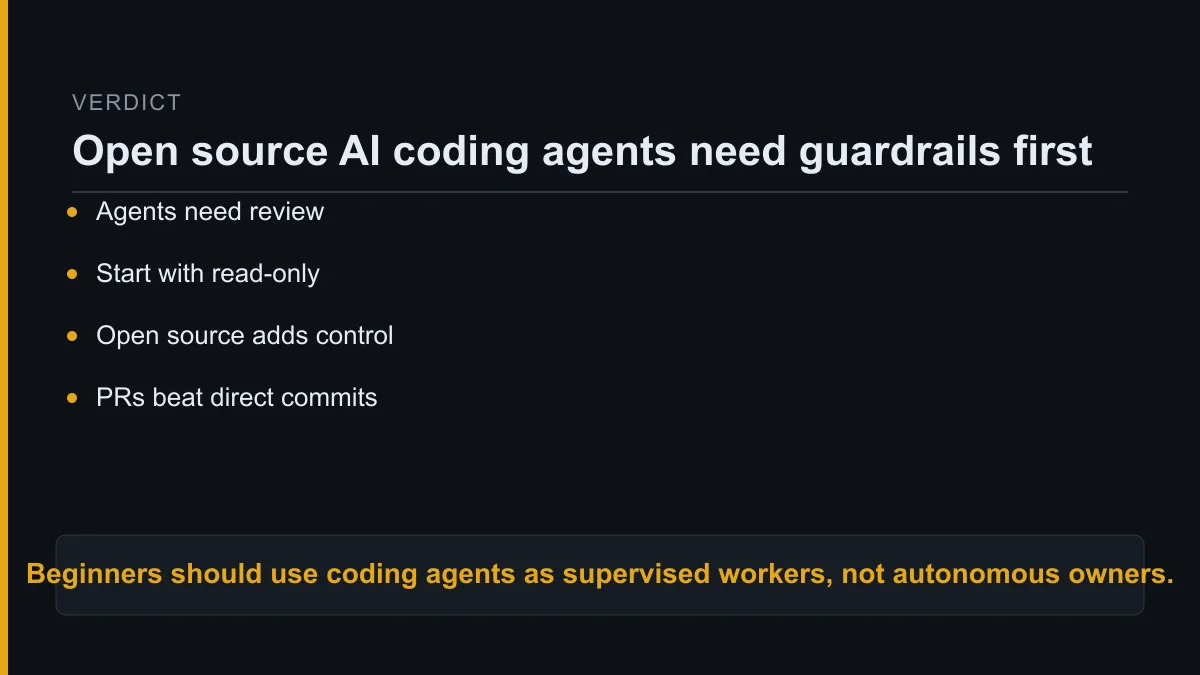
What is the practical verdict for beginners?
Beginners should treat coding agents as supervised workers that can accelerate small, testable changes, not as autonomous engineers.
The winning setup is boring: branch first, small task, visible diff, tests, review, then merge.
If you want the most control, compare open source ai coding agents first. If you want the least setup, a managed commercial tool may be easier.
Either way, do not start by asking the agent to own the codebase. Start by asking the agent to earn trust inside one narrow task.
The beginner who moves slowly at the permission layer usually moves faster overall, because fewer bad changes reach the point where they are expensive to untangle.
About Kurt Stockhausen
Kurt Stockhausen runs a business and uses AI agents to build the systems that operate it.
He writes build logs from real workflows: what was wired up, what it cost, and what broke.
Kurt is not a developer by trade. For him, AI tools are a practical way to run the business better, not a badge of technical identity.
Footer: Stack Operator AI publishes practical AI workflow guides, build logs and operator notes for people using agents to run real systems.

