best ai coding agents 2026: Claude Code wins
The expensive mistake in the best ai coding agents 2026 decision is not paying for the wrong tool. It is paying again in failed runs, retries, review time, and setup drag.
Claude Code is the AI company Anthropic’s coding agent, Codex is the AI company OpenAI’s coding agent, and local open-model stacks run models you control.
[[VIDEO_EMBED]]
This article follows the same structure as the explainer video. The video is the primary asset; this page gives the standalone decision framework.
My bias is practical. I run a business and use AI agents to build systems that operate it. I care less about a demo and more about what ships, what breaks, and what I must still supervise.
The verdict is clear: Claude Code is the paid agent I would start with for serious autonomous software work. Codex is the safer choice if your workflow already lives around OpenAI.
Local open-model setups are real options, but they are not beginner shortcuts. They are builder projects as much as coding tools.
Is Claude Code the strongest paid choice for autonomous multi-file work?
Yes. Claude Code is the strongest paid choice when you want an AI coding agent to inspect a project, edit across files, run commands, and carry implementation work with less hand-holding.
Anthropic describes Claude Code as an agentic coding tool that reads a codebase, edits files, runs commands, and integrates with development tools, checked 10 August 2026: Claude Code overview.
That matters because serious coding work is rarely one file. A useful agent must hold intent, trace dependencies, change code, run tests, and explain the diff in a way a human can review.
Most comparison pages miss this distinction. They treat agents as feature checklists: editor support, chat, model name, context window, and price.
The real question is whether the tool reduces human orchestration. If I must break every job into tiny prompts, the agent is closer to chat-assisted coding than autonomous delegation.
Claude Code is strongest when the task has shape: add a feature, refactor a workflow, fix a bug, write tests, update docs, and return a reviewable patch.
I do not mean Claude Code should run loose on production. I mean it is better suited to high-leverage work inside a branch, with clear instructions and approval gates.
The important comparison is this: Claude Code is the polished agent stack, Codex is the OpenAI-native agent surface, and local models are a technical operating environment.
| Option | Best use | Main risk |
|---|---|---|
| Claude Code | Autonomous multi-file implementation | Over-delegating without review |
| Codex | OpenAI-centred coding workflows | Less specialist agent feel |
| Local open models | Cost, privacy, offline experiments | Setup burden and weaker reliability |
In my workflow, the paid agent earns its keep when it turns an instruction into a branch I can inspect. Autocomplete is useful, but autonomous work is where the leverage appears.
That is why Claude Code leads this best ai coding agents 2026 comparison for serious day-to-day software work. The strongest agent is the one that saves reviewable hours, not keystrokes.
Is Codex the better fit for OpenAI-first builders?
Yes. Codex is the better fit for builders already committed to OpenAI-native workflows who want coding help inside an ecosystem they already use.
OpenAI describes Codex CLI as a tool to inspect code, make changes, run commands, and automate repeatable work from the terminal, checked 10 August 2026: Codex CLI docs.
That makes Codex a serious option, not a toy. It can work against a local repository, use installed tools, and run interactively or through repeatable command-line workflows.
The buying question is not whether Codex can code. The question is whether you want a separate specialist agent stack or an OpenAI-aligned coding workflow.
If your team already uses ChatGPT, OpenAI models, OpenAI APIs, and OpenAI-style tooling, Codex has a lower organisational learning curve.
OpenAI also states that ChatGPT Work and Codex share usage, pricing, and usage limits, checked 10 August 2026: Codex pricing docs.
That does not prove Codex is cheaper for every task. It does mean the purchase decision may be simpler for a builder who already pays attention to OpenAI usage.
The tradeoff is specialisation. Claude Code feels easier to justify when the job is autonomous implementation. Codex feels easier when continuity with an existing OpenAI workflow matters more.
For many builders, that is a valid trade. A slightly less specialised agent inside the system you already trust can beat a technically stronger tool that adds friction.
I would choose Codex when the user wants familiar controls, familiar accounts, and a smoother path between chat, coding, review, and automation.
I would avoid Codex as the default only when the user has enough repository work that the extra autonomy of Claude Code will probably save more time than the ecosystem fit.
Are local open-model setups worth it for cost, privacy, or offline control?
Yes, local open-model setups are worth it when cost control, privacy boundaries, or offline experimentation matter more than plug-and-play reliability.
Ollama presents itself as a way to automate work using open models while keeping data safe, checked 10 August 2026: Ollama.
llama.cpp describes itself as LLM inference in C/C++ and supports local and cloud inference across hardware backends, checked 10 August 2026: llama.cpp.
Those tools make local coding agents possible. They do not make local coding agents effortless.
A local setup has more moving parts: model choice, quantisation, inference backend, memory limits, context size, agent wiring, tool permissions, and update management.
The reward is control. A builder can run models locally, experiment offline, avoid sending some code to a hosted model, and reduce marginal API spend once the stack is stable.
The penalty is time. Every hour spent debugging drivers, model formats, slow inference, broken tool calls, or context limits is part of the real cost.
Local open-model coding is most attractive when the builder enjoys maintaining the system. If the setup work feels like a tax, a paid agent is usually the better business choice.
There is also a quality gap in many real workflows. Open models can be useful for bounded edits, explanations, and experiments, but autonomous repository work is less forgiving.
For privacy, local does not mean safe by default. Local agents still need scoped credentials, constrained folders, disposable branches, and reviewable diffs.
For cost, local does not mean free. Hardware, energy, maintenance, slower runs, and failed attempts all count, even when no API bill arrives.
What is the real cost of an AI coding agent?
The real cost of an AI coding agent is subscription fees, API usage, failed runs, review time, setup time, context waste, and permission risk.
This is where most best ai coding agents 2026 pages become misleading. They compare visible price and visible features, then ignore the operating cost after the agent starts working.
A failed run has a cost even if the subscription is fixed. Someone must read the output, notice the wrong assumption, rerun the task, and check whether the second attempt introduced damage.
Context waste also has a cost. Giving an agent too much irrelevant material can slow the run, raise usage, and make the agent optimise for noise instead of the actual change.
Permission waste is worse. Giving an agent broad filesystem access, live credentials, or production reach can turn a bad guess into a security incident.
That is why I separate sticker price from operating price. Sticker price is what you pay the vendor. Operating price is what the tool consumes in your attention, trust, and cleanup.
| Cost type | What it looks like | How to reduce it |
|---|---|---|
| Subscription | Monthly plan or seat | Match plan to real workload |
| API usage | Tokens, retries, long context | Use smaller tasks and cleaner context |
| Failed runs | Wrong edits or stuck loops | Set tests and stop rules |
| Review time | Human diff inspection | Require summaries and focused diffs |
| Setup time | Install, models, backends | Buy polish unless setup is the point |
| Permission risk | Overbroad access | Sandbox and scope credentials |
Benchmarks help, but they do not replace workflow judgement. SWE-bench, checked 10 August 2026, is useful for repository issue resolution.
The limitation is important: repository-agent results are model-plus-agent evidence, not pure model magic.
Terminal-Bench is useful for terminal-based autonomous work, but its leaderboard also measures configured agents, tools, and harnesses, checked 10 August 2026: Terminal-Bench.
The practical lesson is simple. A cheaper model can become expensive if it needs more retries, more supervision, or more cleanup.
The best paid agent is not the one with the lowest visible fee. The best paid agent is the one that produces reviewable, correct-enough work with the least human rescue.
When is Claude Code easiest to justify?
Claude Code is easiest to justify when you have enough real software work for autonomous delegation to save meaningful time.
If you only need autocomplete or occasional code explanations, Claude Code may be more agent than you need. A chat model or lighter coding helper can cover many small tasks.
Claude Code becomes compelling when the work has connected steps. Examples include feature wiring, tests, migration support, debugging, documentation updates, and refactors across files.
Anthropic says Claude Code can work across multiple files and tools, and that is the capability to pay attention to, not just the brand name.
In a business workflow, I want a coding agent to take a clear ticket, make a branch, run checks, and hand back a diff I can inspect.
That does not remove human responsibility. It changes the human role from typing every line to defining scope, checking risk, reviewing the result, and deciding whether to merge.
Claude Code is also easier to justify when your work repeats. The more often you delegate similar implementation tasks, the faster the setup, instructions, and review habits compound.
The wrong use case is curiosity. Paying for a serious agent just to ask for snippets is like buying workshop machinery to tighten one screw.
The right use case is leverage. If the agent can turn a two-hour implementation block into a shorter review block, the paid tool starts to make sense.
When is Codex easiest to justify?
Codex is easiest to justify when you want a familiar OpenAI workflow and accept some tradeoff in specialist agent feel.
Codex is a good fit when the user already thinks in ChatGPT, already manages OpenAI access, and wants coding help without adding a separate vendor habit.
The CLI docs show Codex can choose models, reasoning effort, permissions, and commands. That is enough control for many builders who want agentic help without a new mental model.
Codex is also attractive when you want coding work to connect with broader OpenAI use: chat, review, automation, agents, and repeatable workflows.
The trade is that Codex is not my first pick for the highest-leverage autonomous repository work. For that job, Claude Code remains the stronger paid choice.
Codex becomes the safer pick when procurement, habits, existing subscriptions, or platform alignment matter more than squeezing out the best specialist agent behaviour.
This is not a consolation prize. A familiar tool that gets used safely beats a stronger tool that sits unused because nobody wants to maintain another stack.
I would route focused coding tasks, review tasks, and OpenAI-centred automation to Codex. I would route heavier multi-file implementation to Claude Code first.
Should non-technical users start with local open-model coding agents?
No. Non-technical users should not start with local open-model coding agents because setup and maintenance can consume more time than the coding work.
The appeal is understandable. Local models sound cheaper, more private, and more independent. For a technical builder, those advantages can be real.
For a non-technical user, the path is different. The user must choose models, install inference tools, handle hardware limits, wire an agent, and debug failures that may not be obvious.
That burden changes the product. The user is no longer buying a coding assistant. The user is operating a small AI infrastructure project.
Local setups also make failures harder to diagnose. Was the bad patch caused by the model, the prompt, the context window, the agent wrapper, the backend, or the hardware limit?
A paid agent is not automatically better at every task. It is usually better at giving a beginner a supported path, clearer defaults, and fewer technical traps.
My advice is blunt: start local only if you can absorb the setup burden or want to learn the stack. Do not start local because a blog post made it sound free.
The exception is a technical builder with strict privacy boundaries, offline needs, or a cost-sensitive workload large enough to justify maintenance.
For everyone else, the faster route is to use a polished paid agent with safe boundaries, then revisit local models once the workflow is understood.
How should builders use AI coding agents safely?
Builders should use AI coding agents inside constrained workspaces, disposable branches, scoped credentials, approval gates, and human review before production changes.
OpenAI says Codex uses sandbox modes and approval policies, with defaults such as no network access and write permissions limited to the active workspace, checked 10 August 2026: Codex approvals and security.
Anthropic says Claude Code uses strict read-only permissions by default and asks permission for file edits, command execution, and other additional actions, checked 10 August 2026: Claude Code security.
Those controls are not decoration. They are the difference between autonomous help and uncontrolled automation.
My minimum rule is this: no agent gets production credentials, broad filesystem access, or permission to merge its own work.
Use a branch for every task. Keep secrets out of prompts. Give the agent only the folders and context it needs. Ask for a summary and a diff before trusting the change.
Require tests where tests exist. If no tests exist, ask the agent to explain how the change was checked and what still needs manual review.
Avoid any AI coding agent that cannot explain its changes, run in a constrained workspace, or produce a reviewable diff before code is trusted.
Do not confuse confidence with safety. A fluent explanation can still hide a broken assumption, a security hole, or a change that solves the wrong problem.
- Run agents in sandboxes or scoped workspaces.
- Use disposable branches and review diffs.
- Scope credentials and avoid production access.
- Set approval gates for commands and network access.
- Keep a human responsible for merge decisions.
For my own business systems, the point is not to make agents fully trusted. The point is to make agent work reviewable enough that I can safely use the leverage.
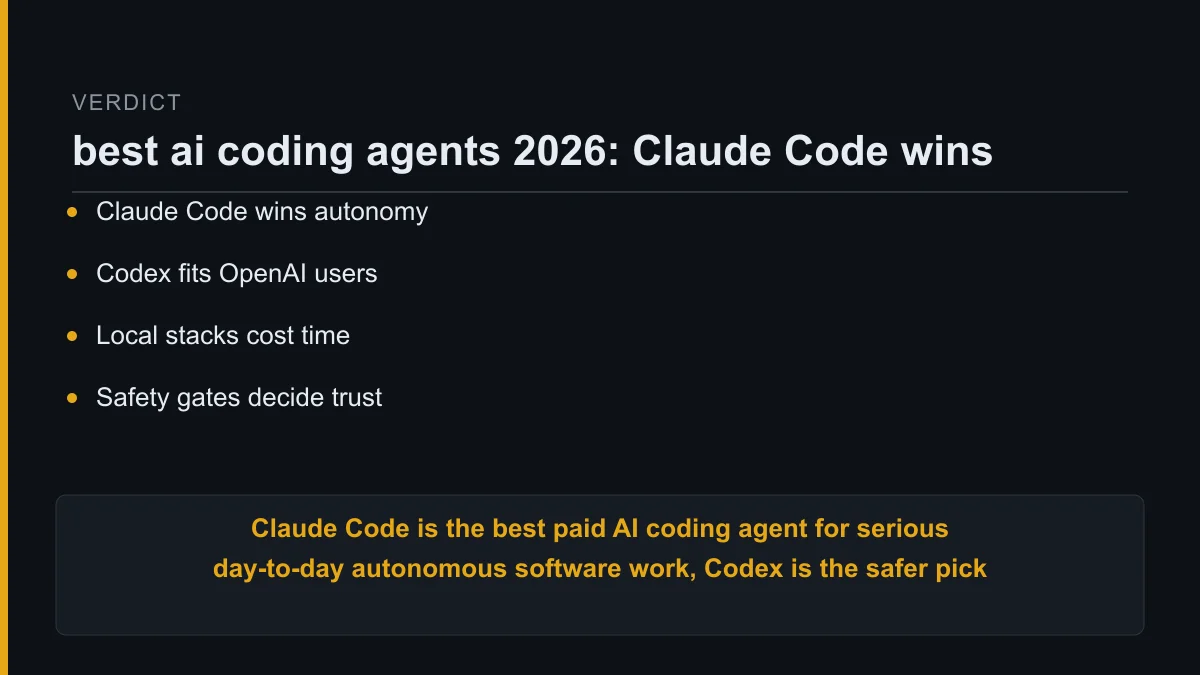
The final verdict for best ai coding agents 2026 is clear.
Claude Code is the best paid AI coding agent for serious day-to-day autonomous software work, Codex is the safer pick for OpenAI-first users, and local open-model setups are for cost-sensitive technical builders who can absorb the setup burden.
FAQ
What is the best AI coding agent to pay for in 2026?
Claude Code is the best paid AI coding agent to start with if you need serious autonomous multi-file software work. Codex is better if your workflow is already OpenAI-first.
Local open-model setups are worth considering only when cost control, privacy boundaries, or offline work justify the setup burden.
Is Codex worse than Claude Code?
Codex is not simply worse than Claude Code. Codex is a better fit when OpenAI alignment, familiar tooling, and existing account structure matter more than specialist agent behaviour.
Claude Code is stronger when the main job is autonomous implementation across a repository with less hand-holding.
Can a local model replace a paid coding agent?
A local model can replace parts of a paid coding workflow for a technical builder. It is most useful for bounded edits, experiments, privacy-sensitive work, or high-volume tasks.
A local setup is a poor first choice if you cannot maintain model selection, inference, hardware constraints, and agent wiring.
What should I avoid when using AI coding agents?
Avoid any agent workflow that cannot produce a reviewable diff, explain the change, or run inside a constrained workspace. Never give an agent broad production access by default.
The safest pattern is a scoped workspace, a disposable branch, clear approvals, and human review before production changes.
About Kurt Stockhausen
Kurt Stockhausen runs a business and uses AI agents to build the systems that operate it. His articles are build logs from real workflows: what was wired up, what it cost, and what broke.
Kurt is not a developer by trade. The tools are a means to run the business better, so this best ai coding agents 2026 verdict is written from an operator’s point of view.

