Local AI Coding Agent Stack: The Private Way
A free local run can still leak metadata if the stack is wired badly. A local ai coding agent is useful, but only when it is treated as infrastructure, not a magic private chatbot.
The mistake is assuming “local model” means “local system”. The model may be local while the coding harness, extensions, package manager, browser, logs, and fallback API still talk outside.
[[VIDEO_EMBED]]
My conclusion is blunt: local agents are best used as a private control layer for routine work, not as a full replacement for frontier AI.
I run a business and use AI agents to build the systems that operate it. I care less about the ideology of local AI and more about what is wired up, what breaks, and what stays controllable.
This article follows the same structure and verdict as the explainer video. The video is the primary asset; this page is the written companion for people who want the architecture in one place.
Should a local AI coding agent replace frontier AI?
A local AI coding agent should not replace frontier AI outright. The stronger design is to let local models handle private, repetitive, low-risk work and escalate harder jobs deliberately.
Frontier AI means hosted models from providers such as OpenAI, Anthropic, and Google that usually lead on reasoning, long context, tool use, and multimodal capability.
Local AI means the model runtime sits on hardware you control. Ollama, a simple local model runner, and llama.cpp, a lightweight C/C++ inference project, are common entry points.
The operator question is not “Can I run a model locally?” The real question is “Which work should never leave my machine unless I approve it?”
For me, local agents make sense for repeated code cleanup, file renaming, small scripts, log parsing, draft migrations, test scaffolding, and project housekeeping.
Those tasks are valuable because they happen often, contain sensitive context, and are easy to check. A local model does not need to be the smartest model alive to handle them well.
Cloud escalation still matters. Architecture review, ambiguous debugging, broad research, unfamiliar frameworks, and long-context reasoning often need a stronger model.
The stack should therefore route work by risk and difficulty. Private and bounded work stays local. Complex and high-judgement work can leave only through an explicit policy.
| Work type | Best default | Reason |
|---|---|---|
| Small code edits | Local | Fast and checkable |
| Secret-bearing files | Local | Data exposure risk |
| Architecture decisions | Cloud fallback | Higher reasoning need |
| Unknown production bugs | Escalate selectively | Context and judgement matter |
The comparison is simple: local inference is strongest where privacy, repeatability, and verification matter; cloud inference is strongest where reasoning depth matters more.
This is why I do not frame local AI as a purity contest. I frame local AI as a routing layer for business operations.
What layers does a reliable local AI coding agent stack need?
A reliable local AI coding agent stack needs separate layers for runtime, model choice, agent framework, memory, permissions, automation, observability, and fallback. A chat box is not a stack.
The model runtime is the engine. Ollama makes local model serving approachable, llama.cpp runs many GGUF-format models efficiently, and vLLM is a serving engine aimed at higher-throughput inference.
The model selection layer decides which model handles which task. That may include a small fast model for routine edits and a stronger model for planning or code review.
The agent framework is the harness that turns text into action. Qwen Code is Alibaba/Qwen’s coding agent CLI, OpenAI Codex is OpenAI’s coding agent, and Claude Code is Anthropic’s coding agent.
The memory layer stores what the agent should remember. Good memory is structured and retrievable; bad memory is just a giant prompt full of stale facts.
The permission layer decides what tools the agent can use. This is where shell access, file access, network access, browser control, and approval gates belong.
The workflow layer connects the agent to repeatable jobs. That might be a cron job, a Git hook, a task queue, a local dashboard, or a desktop automation trigger.
The observability layer records what happened. Logs, traces, tool calls, approvals, denials, model choice, fallback events, and changed files should be inspectable after the run.
The fallback layer decides when cloud AI is allowed. Fallback must not be a hidden retry path that quietly ships private content to a hosted model.
| Layer | Job | Failure if missing |
|---|---|---|
| Runtime | Run the model | No local inference |
| Model routing | Pick task fit | Wrong model for work |
| Agent harness | Use tools | Chat only |
| Permissions | Constrain action | Full-shell risk |
| Memory | Recall facts | Prompt bloat |
| Observability | Audit runs | No accountability |
| Fallback | Escalate safely | Silent data leak |
The practical comparison is between a chat interface and an operating system for agents. A chat interface answers; an agent stack decides, acts, logs, and constrains.
This is where many local setup guides stop too early. They install a model, open a prompt, and call the result private automation.
That is not enough for a business workflow. A business workflow needs repeatability, boundaries, logs, recovery, and a clear answer to “what was this agent allowed to touch?”
How should you choose local models for coding agents?
You should choose local models by task fit, hardware limits, context length, tool-use reliability, and licence terms. The largest model that barely runs is often the wrong model.
A coding agent needs more than clever code completion. It needs to follow instructions, read files, call tools, interpret test output, recover from mistakes, and stop when approval is needed.
Model size still matters, but model size is not the decision. A slow oversized model can make routine automation worse because every task feels expensive to run.
Hardware limits are real. Local models compete for memory, CPU, GPU, disk, and thermal headroom with the rest of the machine.
Context length matters because coding tasks often need several files, instructions, tool outputs, and prior decisions. A model with too little context will keep losing the thread.
Tool-use reliability matters because an agent is only useful if the model can call the right tool with the right arguments and then interpret the result.
Licensing matters because some open-weight models are easier to use in business workflows than others. Qwen2.5-Coder-32B-Instruct lists an Apache-2.0 licence on Hugging Face, checked 12 August 2026.
That licence detail is an official model-card claim, not an independent quality benchmark. The model card is still relevant because licensing can decide whether a workflow is usable.
Hugging Face’s Qwen2.5-Coder-32B-Instruct model card also describes the model as a text-generation model with tool-related template support, checked 12 August 2026.
I would rather run a smaller model that is fast, predictable, and easy to supervise than a larger model that turns every edit into a waiting game.
| Selection factor | Why it matters | Bad choice looks like |
|---|---|---|
| Task fit | Matches real work | Strong chat, weak edits |
| Hardware fit | Keeps runs usable | Constant swapping |
| Context length | Maintains project state | Lost constraints |
| Tool use | Executes workflows | Broken arguments |
| Licence | Controls business use | Ambiguous rights |
The model choice comparison is not “small versus large”. The better comparison is “reliable enough for this class of work versus impressive but operationally awkward”.
For a local stack, the winning model is the one you will actually use daily without bypassing safety checks because it feels too slow or too brittle.
Is a private local AI coding agent automatically private?
A private local AI coding agent is not automatically private. The model can be local while the agent harness, telemetry, package manager, extensions, and fallback APIs still send data outside.
This is the point many local AI guides miss. They treat the model runtime as the privacy boundary, but the coding agent is usually a whole toolchain.
Qwen Code, OpenAI Codex, and Claude Code are coding harnesses, not just local binaries. Each can involve accounts, hosted services, telemetry, plugins, or remote model calls depending on setup.
Anthropic’s Claude Code data-usage documentation describes data usage, retention, and telemetry services for Claude Code, checked 12 August 2026.
Anthropic’s Claude Code data usage page is the kind of source I check before calling any coding harness private.
The public Qwen Code source includes telemetry and usage-statistics code paths, including session and tool-call event fields, checked in the GitHub repository on 12 August 2026.
The public OpenAI Codex source includes analytics event paths and sandbox-related code, checked in the GitHub repository on 12 August 2026.
Those facts do not make the tools unusable. They make configuration part of the privacy work.
Privacy also leaks through ordinary developer plumbing. npm, pip, browser extensions, Git remotes, language servers, model downloads, and crash reporters can all create network traffic.
A good local setup starts with a network map. Which processes can call out? Which endpoints are expected? Which logs contain prompts, paths, filenames, snippets, or secrets?
Do not rely on the phrase “offline mode” unless the network is actually blocked or audited. A setting is not a boundary if another component can route around it.
Local inference is a privacy advantage, not a privacy guarantee.
The safe assumption is simple: private means verified, not hoped for. Check the harness, block unwanted network paths, and log every approved path out.
Why does process isolation matter for local agents?
Process isolation matters because trusted files, untrusted inputs, secrets, browser sessions, and tool outputs should not share one unrestricted LLM context. Mixing them creates an exfiltration path.
An LLM context is not a secure container. If an untrusted web page, issue comment, email, or document enters the same context as secrets, the model may be tricked into revealing or using them.
OWASP’s Top 10 for Large Language Model Applications lists prompt injection and excessive agency as major LLM application risks, checked 12 August 2026.
OWASP’s LLM security guidance is not about local agents only, but the same risks apply when the model can call tools.
The Model Context Protocol is an open protocol for connecting models to tools and data. Its security best-practices page warns about attack vectors such as prompt injection, checked 12 August 2026.
Process isolation means splitting the work into compartments. Trusted project files, untrusted documents, secrets, browser sessions, and shell tools should not all sit in the same trust zone.
A simple example is document intake. The agent can summarise an unknown PDF in a restricted process, write a clean summary, and only then pass the summary into the trusted project context.
Another example is browser automation. A logged-in browser session should not be available to the same context that just read arbitrary web content.
Secrets deserve their own rule. The agent should not read secrets by default, and secret access should require a specific tool, a narrow scope, and an approval record.
| Context type | Risk | Better boundary |
|---|---|---|
| Trusted code | Source exposure | Project-only workspace |
| Untrusted input | Prompt injection | Quarantine process |
| Secrets | Credential leak | Brokered access |
| Browser session | Account action | Separate profile |
| Tool output | Hidden instructions | Filtered handoff |
The comparison here is not local versus cloud. The comparison is isolated local execution versus one giant context with everything the agent can find.
Docker, a container platform, documents that its daemon and containers have security implications, checked 12 August 2026. Containers help, but they do not replace permission design.
Isolation is boring until it saves you. The first time an untrusted issue comment asks the agent to read a private file, the stack needs a wall, not a polite prompt.
How should tool access be designed?
Tool access should be a permissioned execution layer. A coding agent should get scoped file access, immutable tools, dry runs, approval gates, and audit logs instead of a full shell by default.
A shell is powerful because it can do almost anything. That is also why a shell is a dangerous default for an untrusted reasoning system.
The minimum safe design is least privilege. Give the agent the smallest set of tools it needs for the current workflow, not every tool the machine has installed.
File access should be scoped by project, path, and mode. Reading a docs folder is not the same permission as rewriting source files or deleting build artefacts.
Tool definitions should be immutable during a run. If untrusted input can redefine tools, alter schemas, or swap commands, the permission layer becomes theatre.
Dry-run mode should be normal for destructive or broad operations. The agent can propose file changes, shell commands, database updates, or API calls before execution.
Approval gates should be specific. “Allow shell” is too broad; “run tests in this project without network access” is a real approval.
Audit logs should show the prompt class, model, tool name, arguments, approval, output summary, changed files, and fallback decision. Logs make failures reviewable.
The Model Context Protocol security guidance says implementers should consider security and attack vectors when connecting tools to models, checked 12 August 2026.
| Tool pattern | Risk | Safer design |
|---|---|---|
| Full shell | Unbounded action | Command allow-list |
| Whole-home files | Data exposure | Project path scope |
| Mutable tools | Policy bypass | Run-locked schema |
| Silent writes | Unknown changes | Diff then approve |
| No log | No review trail | Audit every call |
The prose version of the table is this: a useful local agent should act through a narrow, observable tool layer, not through blind trust.
I am not a developer by trade, so I prefer controls that are visible. If the agent changed a file, I want the diff, the reason, and the command that produced it.
That design also makes escalation safer. If a local model fails, the cloud fallback can receive the problem statement and selected context, not the entire working directory.
What should local agent memory store?
Local agent memory should separate durable project facts, short-term task state, and retrievable documents. Dumping everything into the prompt raises cost, confusion, and exposure.
Durable project facts are stable details. Examples include coding conventions, approved commands, folder roles, testing habits, and architectural decisions that remain true over time.
Short-term task state is temporary. Examples include the current plan, last command output, files touched in this run, and what still needs checking before completion.
Retrievable documents are source material. Examples include internal docs, old build logs, meeting notes, specs, API notes, and error references that should be searched when needed.
These memory types should not be stored the same way. Durable facts can be compact. Task state can expire. Documents should be indexed and retrieved only when relevant.
Prompt stuffing creates two problems. The first is cost and latency; the second is that irrelevant memory makes the model more likely to follow stale or unsafe context.
Memory is also a privacy surface. The more content copied into every run, the more content can leak through telemetry, fallback APIs, logs, or tool output.
| Memory type | Lifetime | Storage pattern |
|---|---|---|
| Project facts | Durable | Compact notes |
| Task state | Temporary | Session record |
| Documents | Long-lived | Searchable index |
| Secrets | Restricted | Never prompt-dump |
The comparison is clear: memory should be retrieved by need, not sprayed into every prompt because storage was easy.
In my own build logs, the useful part is not “remember everything”. The useful part is knowing what was wired up, what it cost in effort, and what broke.
A good local memory layer helps the agent become more consistent without becoming more exposed. That is the balance to aim for.
Can consumer local runtimes scale to teams?
Consumer local runtimes can support a single operator or a small team, but they rarely solve team-scale scheduling by themselves. Multi-user use needs a deliberate serving layer or cloud platform.
The issue is not only raw speed. Team use needs queueing, quotas, isolation, access control, continuous batching, uptime, monitoring, and predictable latency under load.
Continuous batching means a serving system can combine work from multiple requests efficiently while generating tokens. Enterprise inference platforms treat this as a serving problem, not a desktop feature.
vLLM, an inference serving engine, documents continuous batching as part of its serving approach, checked 12 August 2026.
That does not mean every business needs vLLM. It means scaling local AI beyond one operator turns the project from “install a model” into “operate a service”.
A shared desktop runtime can work for experiments. It is weaker when several people depend on it, jobs must be prioritised, or one user’s prompt must never affect another user’s context.
Multi-tenant scheduling also changes security. Each user needs separate identity, quotas, logs, permissions, and data boundaries.
If a local agent is used by a small team, I would start with a narrow workflow. For example: local code review drafts, docs updates, test generation, or log summarisation.
Then I would measure queue time, failures, memory pressure, fallback rate, and review burden. If those are poor, the local stack is not cheaper in practice.
| Setup | Good for | Weakness |
|---|---|---|
| Desktop runtime | One operator | No true tenancy |
| Shared local server | Small team jobs | Needs scheduling |
| Serving platform | Many requests | More ops work |
| Cloud platform | Elastic demand | Data leaves policy zone |
The comparison is between convenience and service quality. Consumer local runtimes win on setup; deliberate serving layers win on shared reliability.
Cloud fallback should therefore be explicit, logged, and policy-driven. The system should know when local inference is not enough and what data is allowed to leave.
A good fallback policy names the trigger. Examples include failed local tests, repeated tool-call errors, context overflow, low confidence, or a human request for deeper review.
A good fallback policy also names the data boundary. The cloud model may receive the error summary, selected files, and test output, but not secrets or unrelated project history.
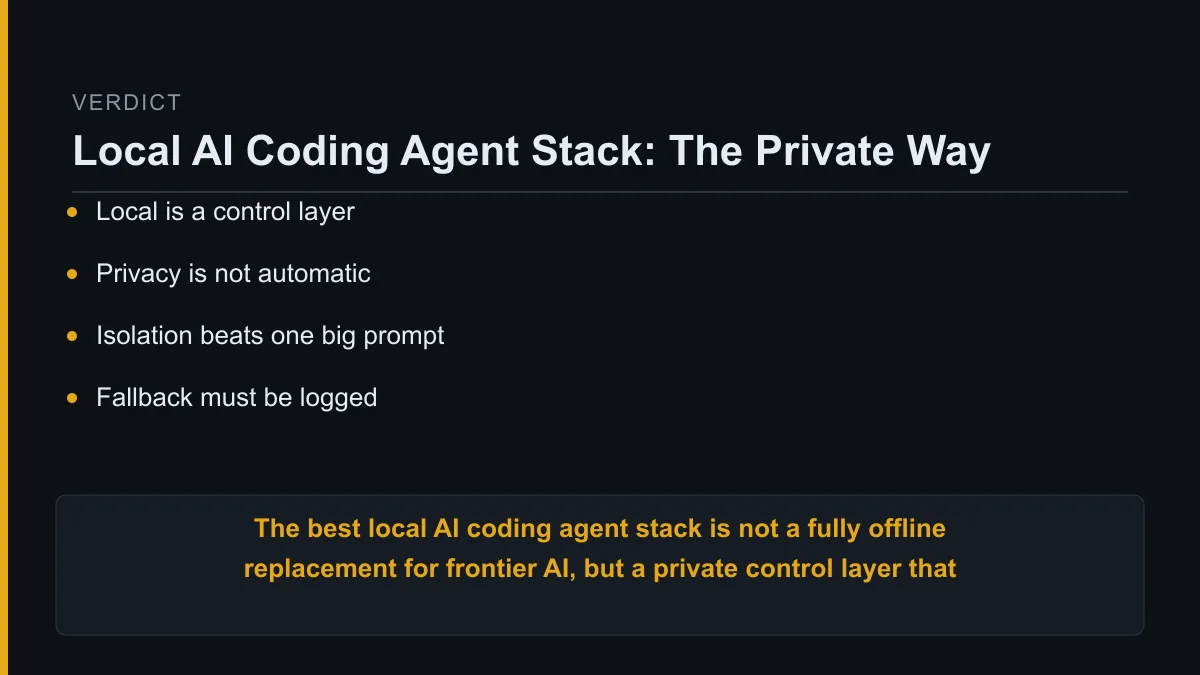
The final decision is practical.
The best local ai coding agent stack is not a fully offline replacement for frontier AI, but a private control layer that runs routine work locally, isolates risky execution, and escalates selectively when local models are not enough.
FAQ
What is a local AI coding agent?
A local AI coding agent is a coding assistant that runs at least part of its model or automation stack on hardware you control. The agent can read files, propose edits, run tools, and help automate development tasks.
The important detail is that “local” may describe only the model runtime. The full agent stack can still include remote telemetry, cloud fallback, package downloads, or hosted accounts.
Is a local coding model safer than a cloud model?
A local coding model can reduce data exposure, but it is not automatically safer. Safety depends on network controls, process isolation, tool permissions, logs, and how fallback is handled.
A badly configured local agent with full shell access can be riskier than a tightly governed cloud workflow. The control layer matters more than the label.
Which local model should I start with for coding agents?
Start with a model that fits your machine and the task you can verify. For many workflows, a fast coding model that handles small edits reliably is more useful than the largest model that barely runs.
Check context length, licence terms, tool-use behaviour, and speed before committing. If the model makes routine work feel slow, people will bypass it.
When should a local agent use cloud fallback?
A local agent should use cloud fallback when the task exceeds local reasoning, context, or reliability limits. The fallback should be approved, logged, and limited to the data needed for the task.
Good triggers include repeated local failure, hard architecture decisions, unfamiliar framework issues, and work where a stronger model materially improves the outcome.
About Kurt Stockhausen
Kurt Stockhausen runs a business and uses AI agents to build the systems that operate it. His writing focuses on real workflows: what was wired up, what it cost in effort, and what broke.
Kurt is not a developer by trade. The tools are a means to run the business better, so the emphasis is on practical automation, privacy boundaries, operating discipline, and honest failure notes.

